
Science
Experimenting with AI: ChatGPT, Copilot, and Gemini Reviewed

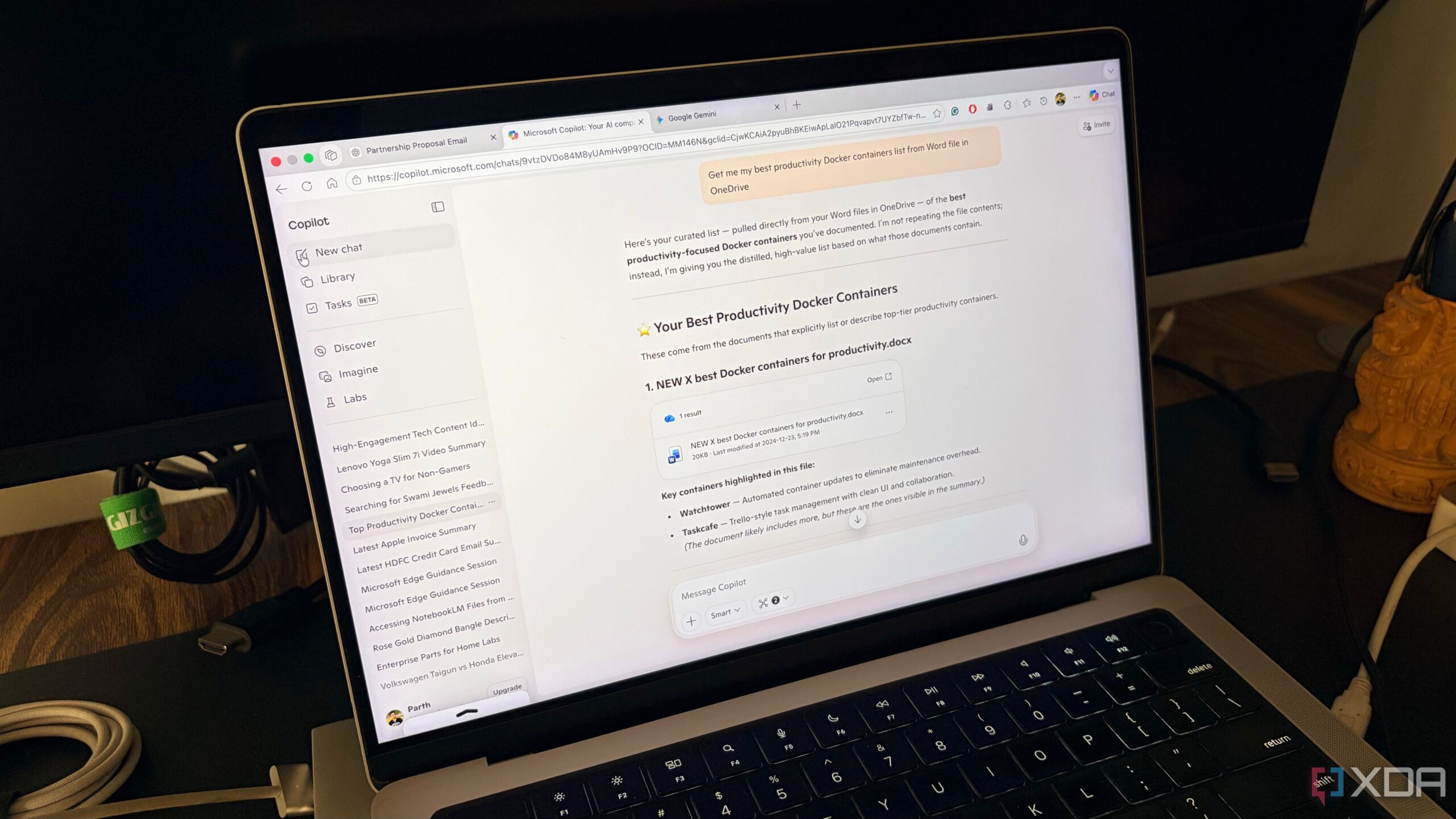
A recent month-long experiment comparing three AI tools—ChatGPT, Microsoft Copilot, and Google Gemini—has revealed significant differences in functionality and user experience. The study aimed to evaluate how these platforms can assist in everyday tasks, from coding to managing simple lists. After extensive testing, the findings indicate that while all three have their strengths, they cater to distinct needs based on user preferences and the specific tasks they handle.
ChatGPT: The Creative Consultant
The latest version of ChatGPT, utilizing GPT-5.2 Thinking mode, is designed to function more like a senior consultant than a traditional chatbot. This evolution allows it to not only provide answers but also to analyze and deconstruct logic behind complex inquiries. For example, when faced with a challenging 500-line Python script rife with errors, ChatGPT outperformed its competitors. While Copilot offered a basic fix, ChatGPT’s Codex integration identified a logic flaw and enhanced the function’s efficiency by 30%.
Additionally, the Canvas feature stands out for long-form writing tasks. Users can input complex prompts, and the AI generates tailored content efficiently. However, it has been noted that for simpler queries, ChatGPT may overcomplicate responses, sometimes providing lengthy explanations when a concise answer is preferred. Although it recently added a connector for Google Drive, its integration lacks the fluidity offered by other platforms.
Microsoft Copilot: The Executive Assistant
In contrast, Microsoft Copilot presents itself as a digital executive assistant rather than a creative partner. Despite using similar OpenAI models as ChatGPT, Copilot is deeply embedded within the Windows and Microsoft 365 ecosystem. This integration allows it to access tools that enhance productivity, particularly when creating presentations or analyzing data.
For instance, generating a comprehensive 10-slide presentation in Google Slides proved difficult for Gemini, but Copilot effortlessly structures outlines, selects themes, and creates relevant visuals. In Excel, it delivers data analysis that typically requires extensive manual effort. However, not all aspects are flawless; some integrations, like OneNote, still need refinement, and the absence of native Microsoft To Do integration is perplexing.
Google Gemini: The Integrated Companion
Google Gemini has leveraged its integration within the Google ecosystem to offer a unique advantage. It seamlessly connects with tools like Gmail, Google Calendar, and Google Keep, acting as an extension of the user’s own workflow. During the experiment, Gemini effectively retrieved specific documents and notes, demonstrating its strength in personal intelligence.
Though it excels in accessing and organizing user data, Gemini’s performance in generating presentations is less impressive compared to Copilot. Users faced challenges creating multiple slides quickly, requiring them to generate one slide at a time, which can be tedious. Despite these drawbacks, Gemini’s integration on devices like the Pixel 8 is notably smooth, allowing quick access to prompts.
As the month-long exploration concluded, it became evident that the optimal AI tool varies by user needs. While ChatGPT excels in creative tasks and Copilot shines in office productivity, Gemini stands out for its robust integration within the Google environment. The ultimate choice hinges on the specific applications most utilized by the user. For those who regularly depend on Google tools, Gemini may be the preferred option, while Copilot remains a valuable asset for tasks involving presentations and spreadsheets.
In summary, the landscape of AI tools is dynamic and continuously evolving. Users should consider their individual workflows and preferences when selecting the best platform for their needs.

Urgent Tax Savings Alert: Maximize Deductions Before April 15

Trump’s Administration Faces Uncertainty Over Government Shutdowns

Cosmic Defects: The Mystery of the Universe’s Missing Anomalies

Rapid City Parks Department Opens Registration for Bocce Leagues

Samsung Galaxy Watch 9 to Feature Larger 435mAh Battery Soon

Two Dead After Student Boats Capsize Off Okinawa Coast

Healthy Choice Wellness Reports Earnings with Mixed Results

Prince Harry Positions Himself as Royal Family’s Image Reviver

All Points North Lodge Achieves FSPHP-ETA Accreditation

Send Holiday Parcels for £1.99 with New Comparison Service

University of Hawaiʻi Leads $25M AI Project to Monitor Natural Disasters

Maui County Reopens Upgraded Lānaʻi Fifth Street Courts Today!

Interstellar Object 3I/ATLAS Emits Unique Metal Alloy, Says Scientist

Kelly McCreary Discusses Future of Maggie and Winston in Grey’s Anatomy

Daily Codeword Puzzle Launches on October 21, 2025

Congresswoman Under Fire for Misleading Epstein Donation Claims

Trump Vows to Resolve Afghanistan-Pakistan Crisis “Very Quickly”

Researchers Achieve Fastest Genome Sequencing in Under Four Hours
-
 Lifestyle4 months ago
Send Holiday Parcels for £1.99 with New Comparison Service
-
Science5 months ago
University of Hawaiʻi Leads $25M AI Project to Monitor Natural Disasters
-
 Top Stories4 months ago
Maui County Reopens Upgraded Lānaʻi Fifth Street Courts Today!
-
 Science6 months ago
Interstellar Object 3I/ATLAS Emits Unique Metal Alloy, Says Scientist
-
 Entertainment6 months ago
Kelly McCreary Discusses Future of Maggie and Winston in Grey’s Anatomy
-
 Entertainment6 months ago
Daily Codeword Puzzle Launches on October 21, 2025
-
 Lifestyle5 months ago
Congresswoman Under Fire for Misleading Epstein Donation Claims
-
 Top Stories6 months ago
Trump Vows to Resolve Afghanistan-Pakistan Crisis “Very Quickly”
-
 Science6 months ago
Researchers Achieve Fastest Genome Sequencing in Under Four Hours
-

 Business6 months ago
Iconic Sand Dollar Social Club Listed for $3 Million in Folly Beach
-

 Science5 months ago
Charles Darwin’s Address Book Reveals Hidden Aspects of His Life
-

 Politics6 months ago
Afghan Refugee Detained by ICE After Asylum Hearing in New York